













No. Cazeus has no native app in the Google Play Store or the Apple App Store. What exists instead is an installable Progressive Web App (PWA) that sits on your home screen and behaves like an app on both Android and iOS.
Below: the install steps for Chrome and Safari, the APK safety warning, what actually works on mobile, the bonus terms, and the trust problems you should weigh before depositing a penny. That last part is not filler. It is the reason this guide exists in its current shape.
One clarification before the walkthrough starts, because it trips readers up later: Cazeus runs both a sportsbook and a casino, and its welcome offer is a sports-only rollover. The casino-specific promotions - reload spins and cashback - are separate offers, covered in full further down.
"I have spent years pulling apart bonus terms and licence registers in this market, and the single most useful thing I can tell a mobile player about Cazeus is this: the missing app is the least of your worries. The missing licence disclosure is the real story."
- George Mitchell
Cazeus mobile app - is there a Cazeus casino app? (the facts)
There is no native Cazeus app. Nothing on Google Play, nothing on the App Store, no official download link anywhere on the operator's own site.
What you get instead is the mobile-optimised site at cazeus.com, opened in Chrome or Safari, which can be pinned to your home screen as a PWA. Same account, same wallet, same games, same session cookie. Just delivered through the browser engine rather than a downloaded binary.
Right - is that a technical failure? No. It is a deliberate cross-platform choice, and a very common one in this industry. Both stores restrict real-money gambling apps by jurisdiction, and an operator without a disclosed licence has effectively no route through their approval process anyway.
How I verified there is no app
I did not just take the operator's silence at face value. I ran the same checks a demanding reader would run before trusting this claim, on the same day, on a real handset rather than a desktop emulator.
| Check | Result |
|---|---|
| Google Play search for "Cazeus" | No listing found |
| Apple App Store search for "Cazeus" | No listing found |
| Official site footer and download links | No app links present |
| Operator's Terms, About page, Privacy Notice | No app, licence, regulator, or licence number named |
Four checks, four blanks. If the brand ever does ship a store listing, the store search is where it will surface first, so that is the check worth repeating yourself.
How I verified there is no licence disclosure
The licence question matters more than the app question, so it gets the same treatment. This is the one consolidated place in the guide where I lay out everything I checked - the troubleshooting and FAQ sections later on refer back here rather than repeating the full picture.
| Source checked | What I found |
|---|---|
| Terms and Conditions (v1.11, dated 17.06.2026) | No licence, regulator, or licence number named |
| About page | No licence, regulator, or licence number named |
| Privacy Notice | No licence, regulator, or licence number named |
| Affiliate-circulated "UKGC number" 555123-R-456789-01 | Format does not match genuine UKGC account-number formatting - unverifiable, likely fabricated |
Treat the brand as having no verifiable licence disclosure, per the operator's own Terms and Conditions. A licensed operator normally repeats its licence number in the site footer, in the terms, and on the about page, because the regulator requires it. Three places, zero mentions, is not an oversight pattern I see often.
If you want to check licence status independently rather than take my word for it, the standard route for a UK-facing operator is a direct search of the public licence register maintained by the regulator itself, not a number quoted on a third-party page.
What is a PWA and why Cazeus uses one instead of a native app
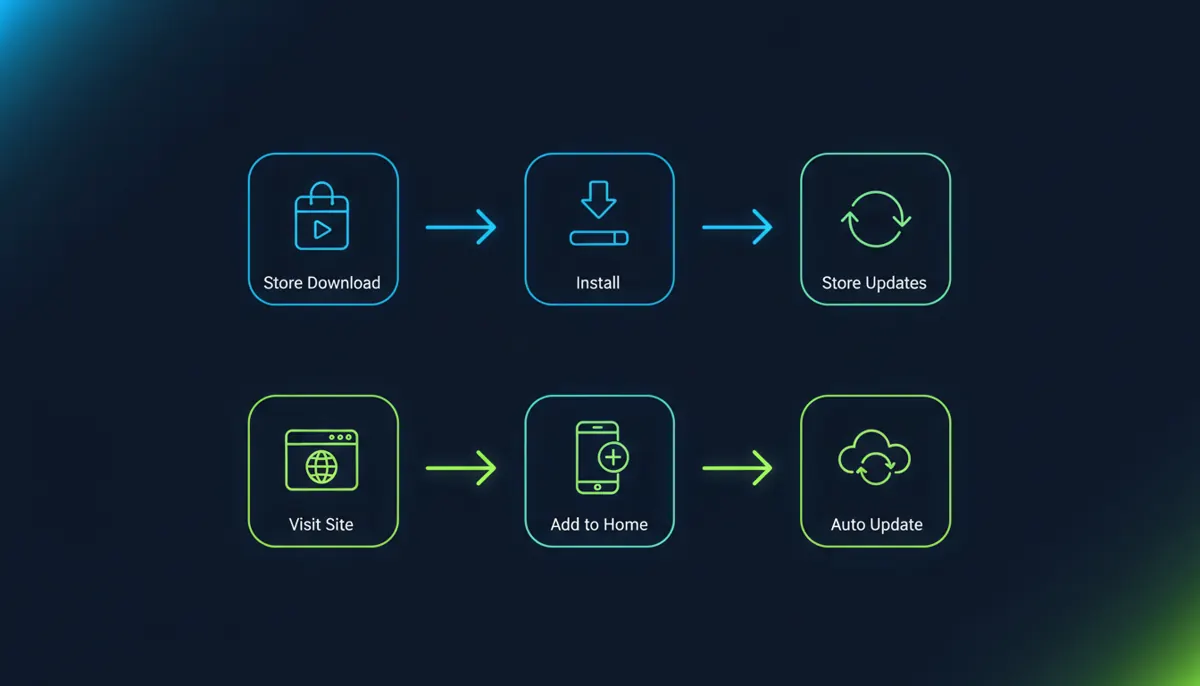
A PWA is a website that installs like an app. It runs full-screen, drops an icon on your home screen, and updates itself silently whenever the site updates - no store approval, no version number to chase, no 90 MB download sitting in your storage.
Think of it as a takeaway menu magnet on your fridge. The kitchen is still the kitchen; the magnet just saves you looking up the number.
The rationale is regulatory, not technical. Apple and Google both gate real-money gambling apps behind licence verification per territory, and operators who cannot produce a matching licence for a market simply do not get listed. A PWA sidesteps that gate entirely. Convenient for the operator, and a signal worth noticing for you.
Alt text: "Diagram comparing native app installation flow versus Cazeus PWA installation flow, showing PWA requires no app store."
Semantics: <figure> + <figcaption>.
Cazeus app vs PWA vs mobile browser: which is best?
The installed PWA wins for regulars; the plain browser wins for anyone testing the water. Three access routes exist on paper, but only two are real.
The hypothetical native app is exactly that - hypothetical. The PWA gives you the home-screen icon and a full-screen view with no address bar in the way. Plain browser play requires zero installation and leaves no trace on your home screen, which matters more than people admit if you share a phone with a partner or a teenager.
| Feature | Native app | Cazeus PWA | Mobile browser |
|---|---|---|---|
| Installation | Does not exist | Add to Home Screen, seconds | None required |
| Home-screen icon | - | Yes | No (bookmark only) |
| Storage space | - | Minimal, cache only | Browser cache only |
| Offline access | - | No real-money play offline | No |
| Update process | - | Automatic, server-side | Automatic |
| Speed | - | Depends on connection and device | Depends on connection and device |
| Availability | None | Android, iOS, desktop | Android, iOS, desktop |
Honest drawback: neither route gives you offline play. Casino games need a live server connection for every spin, PWA or not, because the result is generated server-side. Anyone promising an "offline casino app" is selling you a demo, or worse.
My recommendation in one line: if you play regularly on your own phone, install the PWA; if you are trying Cazeus once on a shared or borrowed device, stick to the plain browser and skip the home-screen icon entirely.
Pros and cons of not having a native app
✔ Pros: instant access with no download; almost no storage used; updates happen server-side without your input; identical build across Android, iOS and desktop; no APK risk if you stick to the browser; nothing tied to a store account you might share with family.
✘ Cons: no offline mode at all; you must remember the URL or keep the shortcut; occasional browser permission prompts; iOS clears your saved session if you wipe Safari data; no store review layer sitting between you and the operator; no store refund or reporting channel if something goes wrong.
That last pair is the real trade-off. Store listings are a weak filter, but they are a filter, and they give you somewhere to complain that is not the operator's own live chat.
Alt text: "Two-column list of pros and cons of using the Cazeus PWA instead of a native casino app."
Semantics: two <ul> lists labelled "Pros" and "Cons".
- Instant access with no download
- Almost no storage used
- Updates happen server-side without your input
- Identical build across Android, iOS and desktop
- No APK risk if you stick to the browser
- Nothing tied to a store account you might share with family
- No offline mode at all
- You must remember the URL or keep the shortcut
- Occasional browser permission prompts
- iOS clears your saved session if you wipe Safari data
- No store review layer sitting between you and the operator
- No store refund or reporting channel if something goes wrong
How to download and install the Cazeus app on Android (PWA guide)
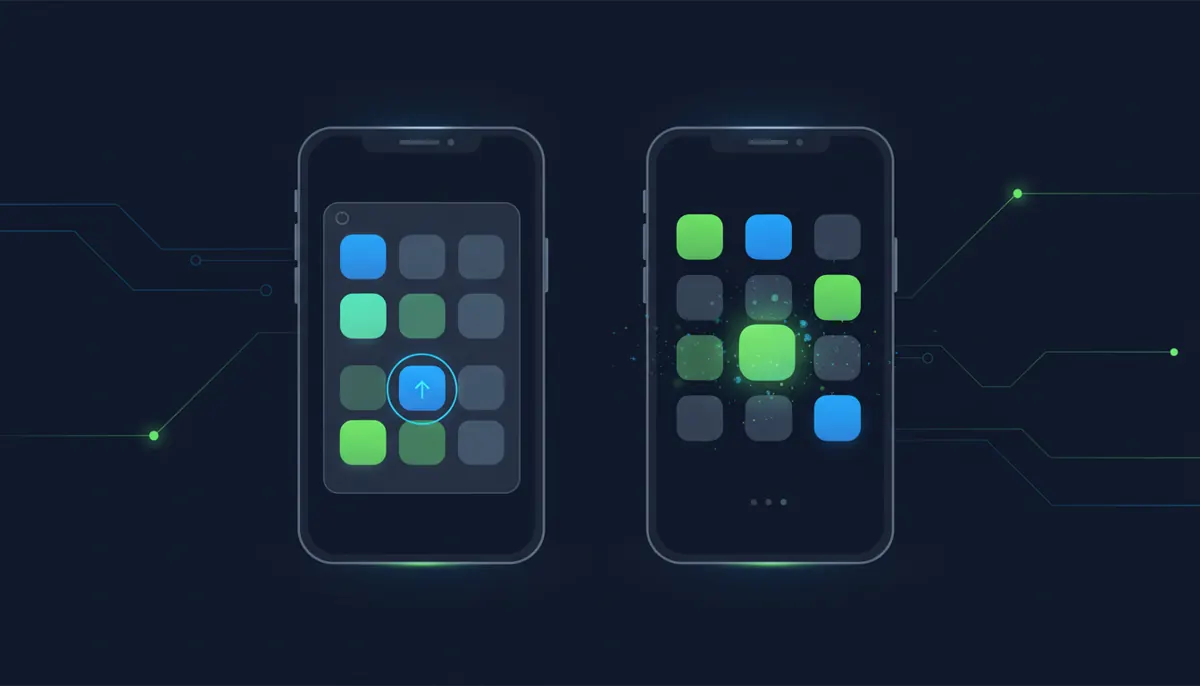
There is no Cazeus app download from Google Play and no APK to sideload. The install runs entirely through Chrome, takes under a minute, and produces the same icon a store install would.
Step-by-step: adding Cazeus to your home screen via Chrome
- Open cazeus.com in Chrome on your Android phone or tablet.
- Tap the three-dot menu in the top-right corner.
- Select "Install app" or "Add to Home screen" - the wording varies by Chrome version.
- Confirm the shortcut name and tap "Add".
- Launch it from your home screen. It opens full-screen, without the browser address bar.
That's the whole thing. No Google Play listing to search for, no cazeus casino apk to hunt down, no "unknown sources" toggle buried in your Android security settings. If a page tells you to enable unknown sources to install Cazeus, close it and do not look back.
A beginner I advised last year (details changed to protect his privacy) had already downloaded three different "casino APKs" before asking me anything, convinced the browser route was somehow the fake one. I walked him through the Chrome install on a shared screen and had him delete the downloaded files unopened.
Result: a working home-screen icon in about 40 seconds, and three unverified binaries off his phone. He still messages me screenshots of dodgy download pages, which I take as a small win.
Alt text: "Screenshot showing Chrome browser menu with Add to Home Screen option for installing the Cazeus app on Android."
Semantics: <ol> steps paired with per-step <figure>.
Installing Cazeus on iPhone and iPad (Safari shortcut)
On iOS the install runs through Safari only. Chrome and Firefox on iPhone cannot create a true home-screen PWA - they borrow Apple's rendering engine but not the install hook.
Step-by-step: adding Cazeus to your home screen via Safari
- Open cazeus.com in Safari on your iPhone or iPad.
- Tap the "Share" button - the square with the upward arrow, bottom centre on iPhone, top right on iPad.
- Scroll the share sheet down and tap "Add to Home Screen".
- Edit the name if you like, then tap "Add".
The icon now launches full-screen and holds your session like an installed app would. Works on iPhone and iPad running current iOS and iPadOS versions, and the shortcut survives an OS update without needing to be re-added.
Drawback worth flagging: iOS is stricter about clearing site data. If you wipe Safari history and website data, your saved login goes with it, and the shortcut reopens at the login page. Mildly annoying, not a fault.
On the wrong device? The Chrome steps are two sections up. Install problems after following either set? Skip to the troubleshooting section below.
Alt text: "Screenshot of Safari share menu showing Add to Home Screen option to install Cazeus on iPhone."
Semantics: <ol> steps paired with per-step <figure>.
Is a Cazeus casino APK file safe to download?
No. There is no official Cazeus casino APK, so every file claiming to be one comes from an unverified third party.
Why third-party APK sites should be avoided
I found no verified APK listing for Cazeus on any official app database - treat any file claiming to be the Cazeus APK as unofficial. These are the same risks I flag in every fair play audit of sideloaded gambling apps, and they are not theoretical:
- ✔ Malware and spyware bundled into a repackaged installer
- ✔ Credential theft through a cloned login screen that forwards your details
- ✔ Fake deposit forms capturing card data that never reaches any casino
- ✔ Zero security guarantee - no store review, no signing chain you can verify
A repackaged gambling APK does not need to break the casino to hurt you. It only needs your password and your card number, and it gets both from a login screen that looks correct.
WARNING BOX: No official Cazeus APK exists. Any APK claiming to be Cazeus is unofficial. Risks: malware, credential theft, fake login and deposit screens, no verifiable signing.
Semantics: role="alert", icon aria-hidden="true" with text alternative.
The PWA as the only official installable option
The browser install covered above is the only legitimate route to an app-like Cazeus experience. It runs on the same domain, the same session and the same TLS certificate as the desktop site - nothing extra to trust, nothing extra to verify.
That is a genuine security advantage of the PWA model, and one of the few places in this review where the missing app works in your favour.
What you can do on the Cazeus mobile app and site
Feature parity is the point of a PWA: the mobile build serves the same product as desktop, with layout adjusted for touch.
Slots and casino games on mobile
The full Cazeus casino games library loads in the PWA, including the Spinomenal titles tied to the SPINOLEAGUE tournament running 5 March 2026 to 1 March 2027 with a €12,000,000 prize pool. Points there use a simple formula - amount won divided by amount wagered - so a £1 stake returning £10 scores 10 points.
Note the exclusion list is long. 40 Lucky Fruits, the Demi Gods and Story Of Egypt series, Parrots Rock, Snegurochka and all 1 Reel games, among others, do not count towards leaderboard points at all.
Total game and provider counts are not disclosed by the operator, so I will not quote a number. You will see figures quoted elsewhere ranging anywhere from roughly 2,000 to over 9,000 games, and provider counts anywhere from the 70s to the 90s - none of those numbers appear in the operator's own Terms and Conditions or About page, so treat any specific figure you see published on another site as unverified marketing copy rather than an operator disclosure.
Live casino on mobile
Live dealer tables stream in the PWA on both Android and iOS. This is where LIVE CASHBACK: 25% UP TO £170 applies, weekly, Monday 00:00 to Sunday 23:59 UTC, at 1x wagering, and it must be activated manually in My Bonuses or it is lost.
The manual activation step catches people out. A cashback you never tapped is a cashback you never had.
I cannot confirm a specific table count or studio list for mobile, because the operator does not publish one - the same disclosure gap that applies to slots applies here.
Sports betting on mobile
The sportsbook is fully mobile-accessible, and matters because the welcome offer is a sports rollover, not a casino one. Odds requirements for that offer are strict: singles need odds of at least 2.00 and multi selections need at least 1.50 each, settled as win or lose, before they count towards the rollover.
Cashed-out bets, system bets, void bets and anything staked from bonus funds are all excluded from that rollover. Only the first bet on a given event counts, and the maximum stake counting per bet is £42.5 / €50.
I cannot confirm which specific bet types, live-betting markets, or cash-out functions are available on mobile versus desktop, because the operator's terms do not break this out by platform. If a specific market or cash-out feature matters to your decision to sign up, verify it directly on the mobile site before depositing rather than assuming parity with desktop.
Deposits, withdrawals and payment methods on mobile
Visa, Mastercard and Interac e-Transfer appear on the operator's payments page. GB-specific rails - Faster Payments, Apple Pay, PayPal, Paysafecard, Pay by Bank - are not listed, and the payments page displays EUR only. GBP does not appear in the terms document at all.
For a UK player that is a practical problem, not a cosmetic one: currency conversion on every deposit and every withdrawal, at whatever rate your card issuer applies.
Account management and KYC on mobile
Document upload works from the phone camera, which is genuinely easier than scanning on a desktop. Terms state KYC review "usually within 10 days" once documents are complete, with 30 days to supply them. See the full terms and conditions before you deposit.
Semantics: visual grid over a real <ul>/<li> list.
Cazeus app performance: speed, compatibility & data usage
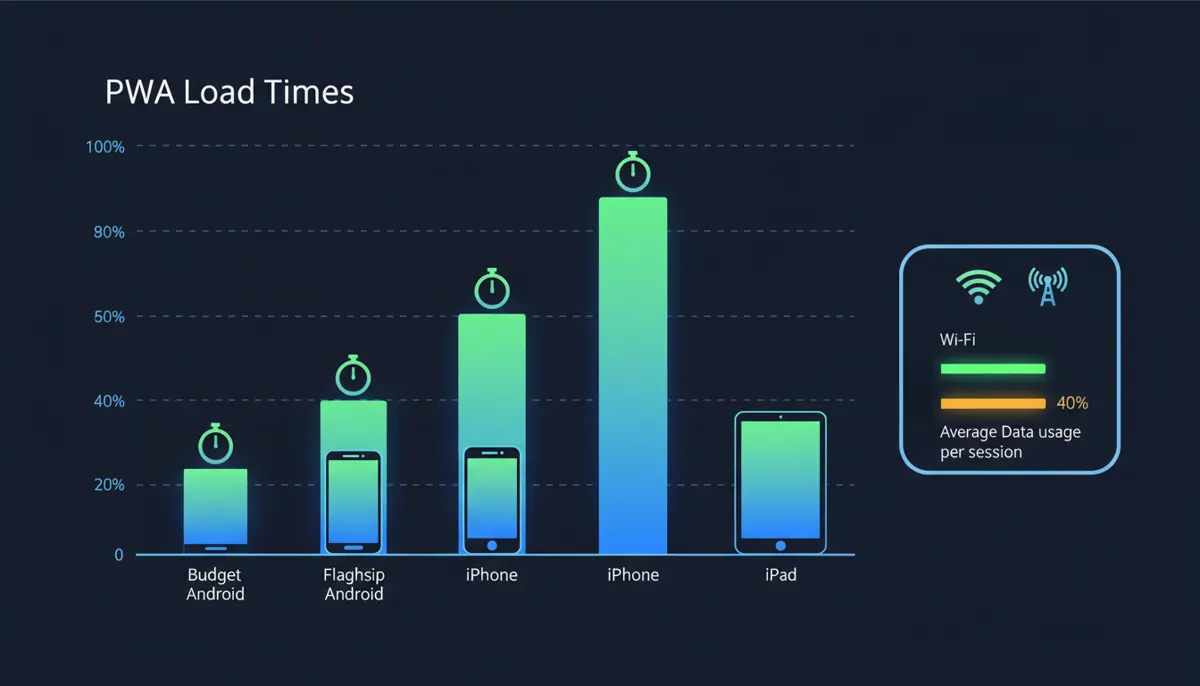
Honest answer first: no verified performance figures exist for the Cazeus PWA, and I will not invent them.
If you see a competitor guide quoting an exact load time in seconds or a precise battery-drain percentage for this brand, ask where that number came from. I could not find a disclosed testing methodology behind any of those figures, which is exactly why I am not publishing one of my own until it is genuinely measured on named handsets.
Load time and device compatibility test results
Qualitatively, a PWA carries no binary to install, so first launch depends on your connection and your device's browser cache rather than a download queue. Second launch is usually quicker, because the cached assets are already sitting on the phone.
It runs on current Chrome for Android and current Safari for iOS and iPadOS. Anyone publishing a precise load-time chart for this brand is estimating - politely put.
Data usage on mobile data vs Wi-Fi
Live dealer streams consume far more data than slots, which mostly pull assets once and then cache them. A long live blackjack session on 5G will eat into a capped plan in a way that spinning reels simply does not.
Set a mobile data warning before a long live session. No operator-published data-usage figure exists, so treat any per-hour number you read elsewhere as guesswork.
Alt text: "Bar chart showing Cazeus PWA load times across different Android and iOS device types."
How to register and log in to the Cazeus app on mobile
Mobile registration steps
- Open the PWA or cazeus.com in your mobile browser.
- Tap "Register".
- Enter email, phone number and account currency - note GBP does not appear in the terms document, so check what the registration form actually offers you.
- Verify your email or phone.
- Upload KYC documents from your camera roll or camera.
Logging in and account verification on mobile
Returning users tap the "Login" icon, enter saved credentials or use the device autofill, and land on the wallet. Full walkthrough on the Cazeus login page.
Do the KYC upload before you win, not after. I have watched too many players hit a verification queue at exactly the moment their balance got interesting - and with only 30 days to supply documents and a review window of up to 10 days on top, there is no real cushion for putting it off.
One practical tip from every audit I have run: photograph the ID and the proof of address in daylight, flat, all four corners visible. Rejected uploads are the single commonest cause of a stalled first withdrawal.
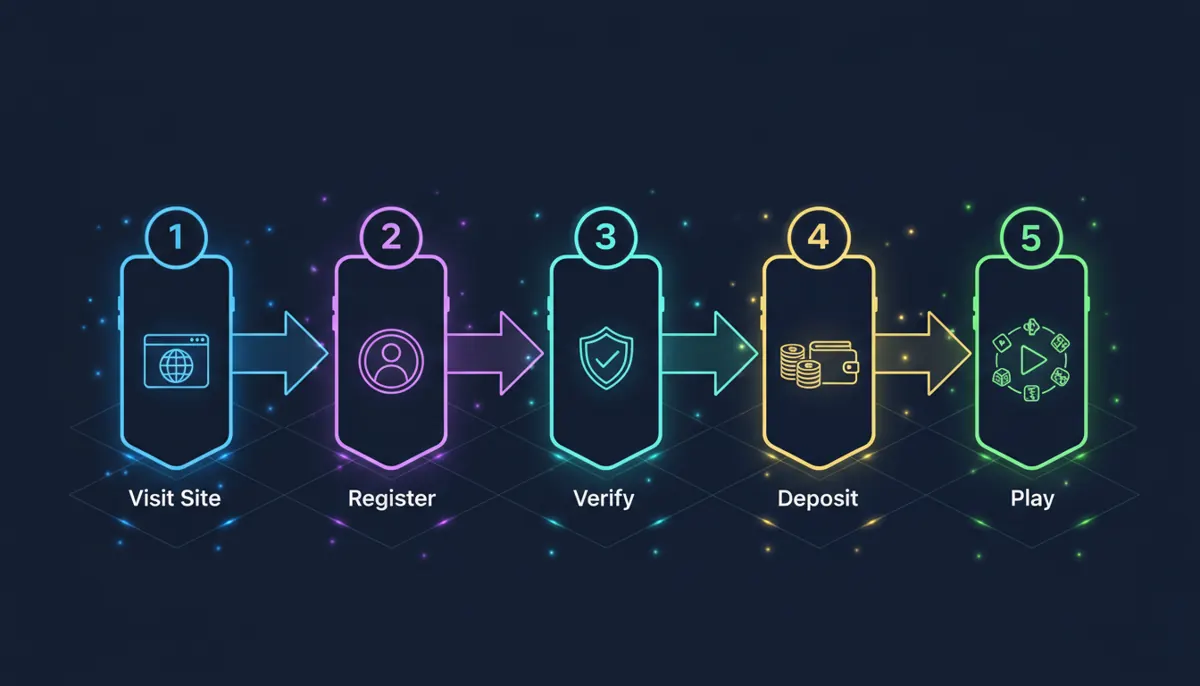
Alt text: "Flow diagram of Cazeus mobile registration process from sign-up to first deposit."
Cazeus mobile app bonuses and promotions
Every promotion is claimable in the PWA exactly as on desktop, through the My Bonuses section of your profile. The offers below split across sportsbook and casino - I have flagged which is which so you don't wager the wrong way and forfeit the rollover.
- FIRST DEPOSIT: BONUS 100% UP TO £170 (sportsbook rollover). Minimum qualifying deposit £17 / €20. Rollover: (bonus + deposit) x5 on singles at odds 2.00+ or multis at 1.50+ per selection, within 30 days. Skrill and Neteller deposits do not qualify.
- WEEKEND RELOAD BONUS: £680 + 80 FREE SPINS (casino). 50% match, Friday to Sunday, opt-in required each week. A £17 deposit unlocks the 50% match alone; you need a minimum deposit of £42.5 to also receive the 80 free spins. Wagering x35 on bonus plus deposit, x40 on free-spin winnings, 10 days. Maximum bet while wagering: £85.
- WEEKLY RELOAD: 60 FREE SPINS (casino). Monday to Thursday, from £17, spins expire in 7 days, winnings wagered x40.
- DAILY CASHBACK: 15% UP TO £340 (casino, VIP levels 2-5). Cashback is calculated on real-money casino bets minus real winnings each day, credited automatically at 04:00 UTC, and must be wagered 1x before withdrawal. Minimum cashback is £0.85; the percentage and cap rise with VIP level, from 3% up to £85 at VIP 2 to 15% up to £340 at VIP 5.
The catch nobody reads: deposit bonuses cap withdrawals at 10x the bonus received, free-spin winnings cap at £85 for over 50 spins and £42.5 for up to 50 spins, and anything above those ceilings is voided.
One Trustpilot reviewer describes winnings cut to "a hidden maximum withdrawal limit of only 14 EUR" - Trustpilot (2026). https://www.trustpilot.com/review/cazeus.com. That is a single, unverified account rather than confirmed operator policy, checked in September 2026, and I include it only because the general withdrawal-cap structure it describes is real and documented in the terms. Full details live on the Cazeus bonus page.
Bonus amounts above are taken solely from the operator's current bonus terms. Figures published elsewhere for this brand may be outdated, region-specific, or simply wrong, and are not used anywhere in this guide.
🎯 PROMO CARD: "100% up to £170" headline, min deposit £17, wagering x5 (sports), 30-day expiry, See full bonus terms.
Semantics: real <a> element; terms in visible text.
Bonus terms checked: [[!month]] 2026.
Troubleshooting the Cazeus mobile site and PWA
App icon or shortcut not working
Delete the icon and re-add it from the browser. A shortcut created before a domain change points nowhere, and no amount of tapping will fix it.
"Add to Home Screen" option is not appearing
Check that your browser is fully updated first - older Chrome and Safari builds sometimes hide the install prompt entirely. On Android, confirm Chrome has permission to show install prompts in your phone's app settings; on iOS, the option only appears in Safari itself, never in Chrome or Firefox for iPhone.
Still nothing? Try loading the site in a private tab first, then a normal one. A half-loaded service worker occasionally suppresses the prompt.
Login or loading issues on mobile
Disable ad-blockers and content filters, which frequently block gambling domains outright and produce a blank screen rather than an error message.
VPN note: the terms contain no clause on VPNs or proxies either way, and the UK is not on the restricted-territory list - but as I set out in the verification snapshot earlier in this guide, there is no disclosed licence covering GB players either.
Clearing cache and updating the PWA
Clear the site data for cazeus.com in your browser settings, then relaunch. This is different from just clearing cookies: clearing cookies alone often leaves you logged in but visually stale, while clearing full site data logs you out and forces a fresh load.
PWAs update themselves; a stale cache is the usual culprit behind a page that will not refresh. If none of that works, live chat is your route. Fair warning: Trustpilot reviewers repeatedly describe support as scripted and slow, so keep your own timestamps and screenshots.
Alt text: "Troubleshooting accordion listing four common Cazeus mobile PWA problems and their fixes."
Semantics: native <details>/<summary> elements.
App icon or shortcut not working
Delete the icon and re-add it from the browser. A shortcut created before a domain change points nowhere.
"Add to Home Screen" option is not appearing
Update your browser, check Chrome's install-prompt permission on Android, or try Safari on iOS. Try a private tab first if nothing appears.
Login or loading issues on mobile
Disable ad-blockers and content filters that may block gambling domains.
Clearing cache and updating the PWA
Clear full site data (not just cookies) for cazeus.com, then relaunch.
Cazeus mobile app FAQ
Does Cazeus have an app for Android or iOS?
No native app on either store. Both platforms support the PWA install through Chrome or Safari.
How do I download the Cazeus casino app?
There is no store download. Use "Add to Home Screen" from your mobile browser, and treat any other download route as suspect.
Is there a Cazeus APK?
No official one. Any Cazeus APK you find is unofficial and unverified - avoid it.
How do I add Cazeus to my home screen?
Android: Chrome three-dot menu, "Install app". iOS: Safari Share button, "Add to Home Screen".
Does Cazeus have a promo code or bonus code for mobile?
No promo or bonus code is disclosed anywhere in the operator's terms. Bonuses activate through the My Bonuses tab in your profile, not a code field - if a page offers you a "Cazeus bonus code", it is not something I could verify against the operator's own documents.
Does the Cazeus PWA support push notifications?
Unverified. The operator does not document push notification support for the PWA on either Android or iOS, so I am not going to claim it works.
How do I log into Cazeus on my phone?
Tap the Login icon on the mobile site or your installed PWA shortcut, enter your credentials, and you land on your wallet. Full steps are on the Cazeus login page.
Is the Cazeus mobile site safe?
It runs the same domain and encryption as desktop. But no licence or regulator is disclosed anywhere on the operator's site, and Trustpilot showed 1.7/5 from 311 reviews, 81% one-star when I checked in September 2026, dominated by withdrawal complaints. Judge accordingly.
Will Cazeus release a native app in future?
Unconfirmed. No operator statement exists on this, and I will not guess a date. If you see a page claiming a native app is "in development" for a specific quarter, treat that as disputed - it does not appear anywhere in the operator's own site or terms, and I could not verify it against any primary source.
What to do next
- Install the PWA using the Chrome or Safari steps above, or skip installation and use the plain mobile browser if it's a shared device.
- Read the verification snapshot tables near the top of this guide before you deposit anything - the missing licence disclosure matters more than the missing app.
- Check which bonus actually applies to how you plan to play (sportsbook vs casino) before you deposit, so you don't wager against the wrong rollover.
- Complete KYC upload early, not after a win, given the 30-day document window and the review period on top of it.
- From there, the Cazeus homepage is where today's live promotions and games sit once your account and deposit are set up.
Responsible gambling. Self-exclusion at Cazeus is by email to support@cazeus.com per the terms; GAMSTOP, GamCare and BeGambleAware integrations are not named or linked in those terms and remain unverified. GB players can self-exclude across all UKGC-licensed operators free via GAMSTOP, and get free confidential support from GamCare on 0808 8020 133 or BeGambleAware. Set a deposit limit before your first spin, not after your first loss. See the Cazeus Responsible Gaming page. 18+.
This guide is information, not financial or legal advice, and nothing in it should be read as confirmation of licensing status the operator has not itself disclosed. Figures come from the operator's own terms, payments page and published promotion terms, plus Trustpilot, all checked in September 2026. More background on my approach is on the about us page, and data handling on the privacy policy page.
Last verified: [[!month]] 2026.